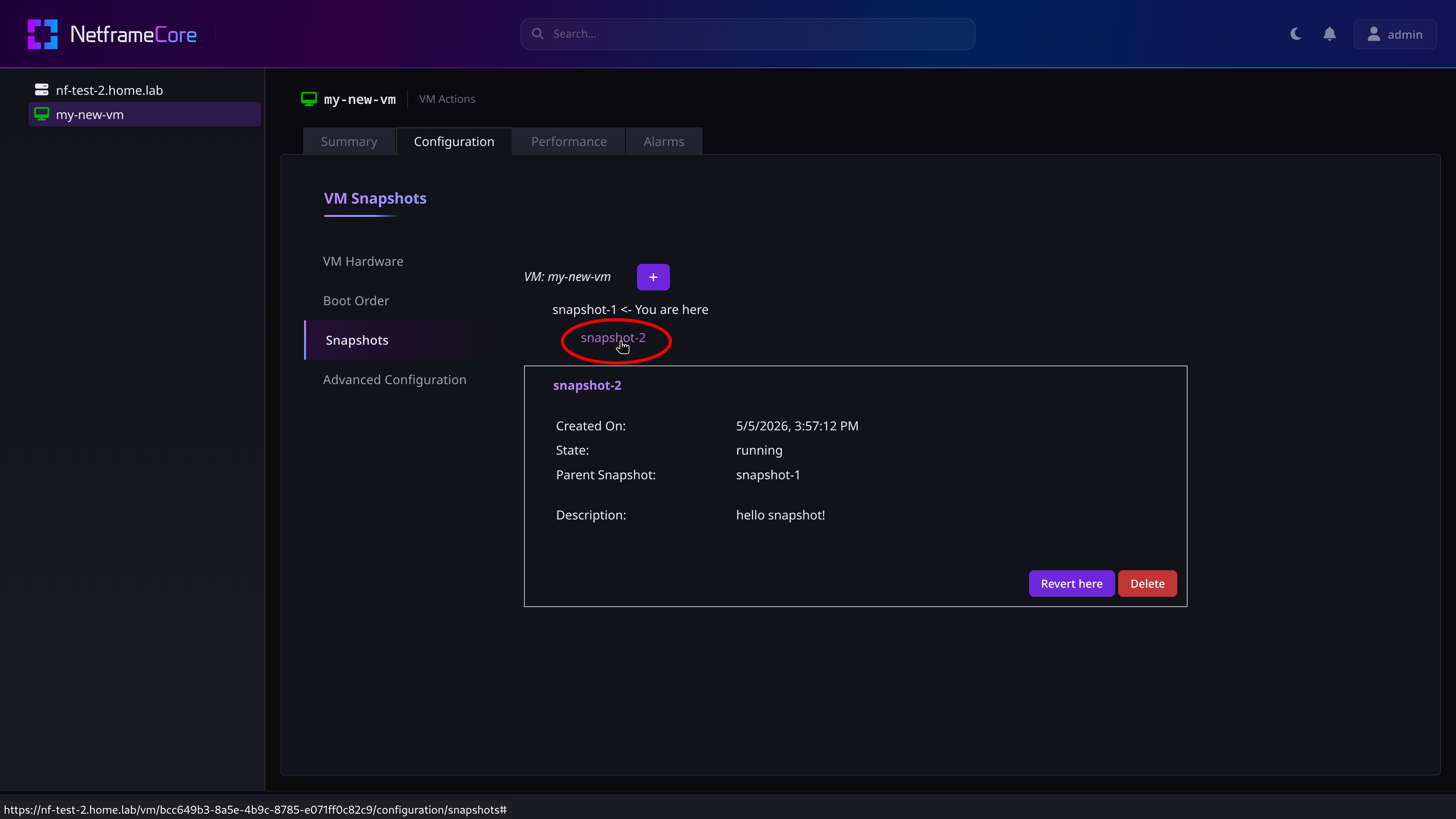
Snapshots are used to capture a VM's current state, and allow you to seamlessly revert back to that state if needed.
¶ Creating Snapshots
Snapshots can be created in two different ways:
- Right-click a VM in the navigation menu, and select ‘Take Snapshot’ from the context menu
- Navigate to a VM's Configuration ⇒ Snapshots tab, and press the plus button
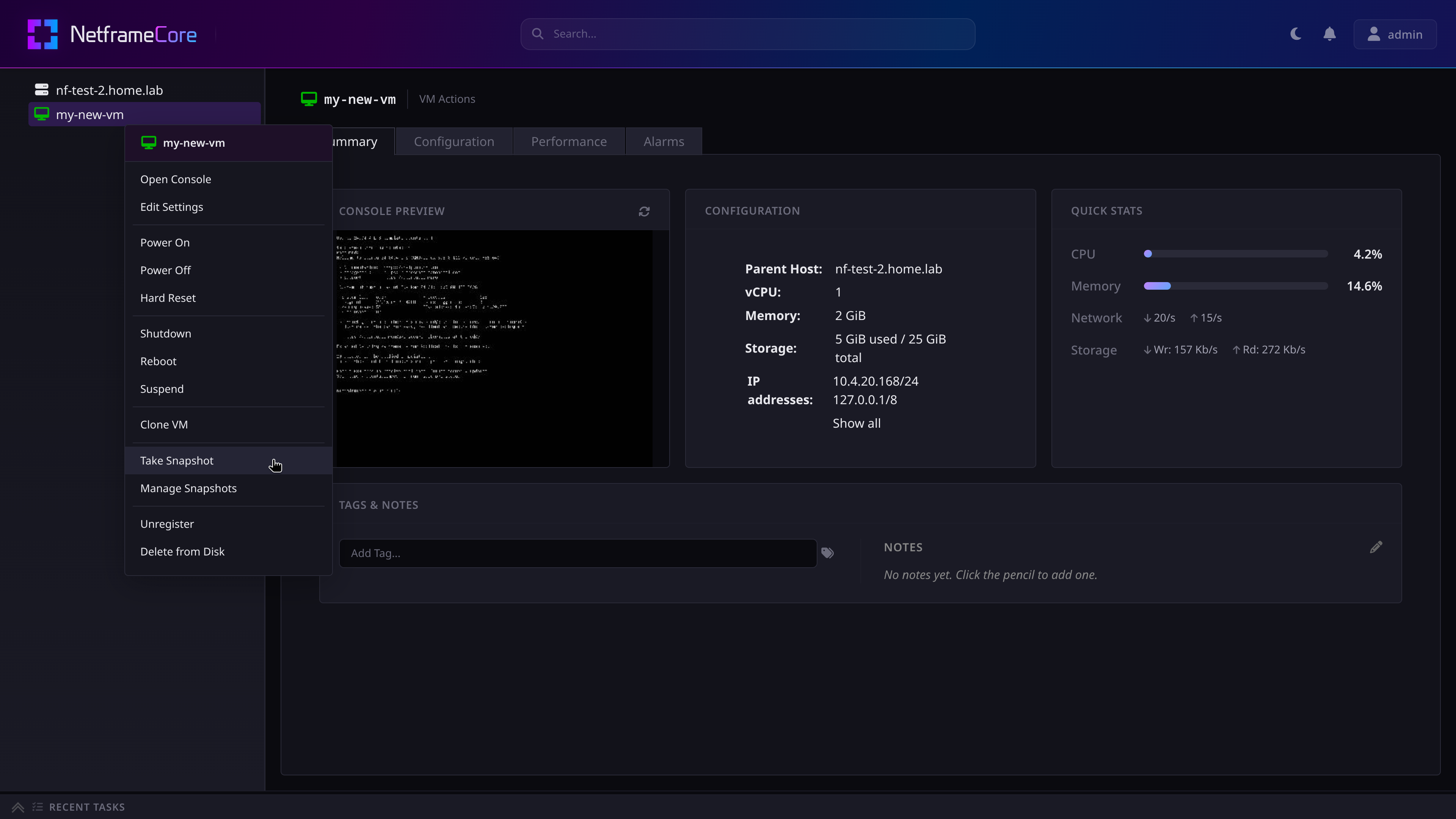
You will then be prompted to name your snapshot, and add a description for it. Both of these fields are optional, and can be left blank
- Leaving the Name field blank will name the snapshot after its creation time, in unix timestamp format
¶ Managing Snapshots
To view and manage existing snapshots, navigate to the VM's Configuration ⇒ Snapshots tab
- This can also be done by clicking Manage Snapshots in the VM's context menu
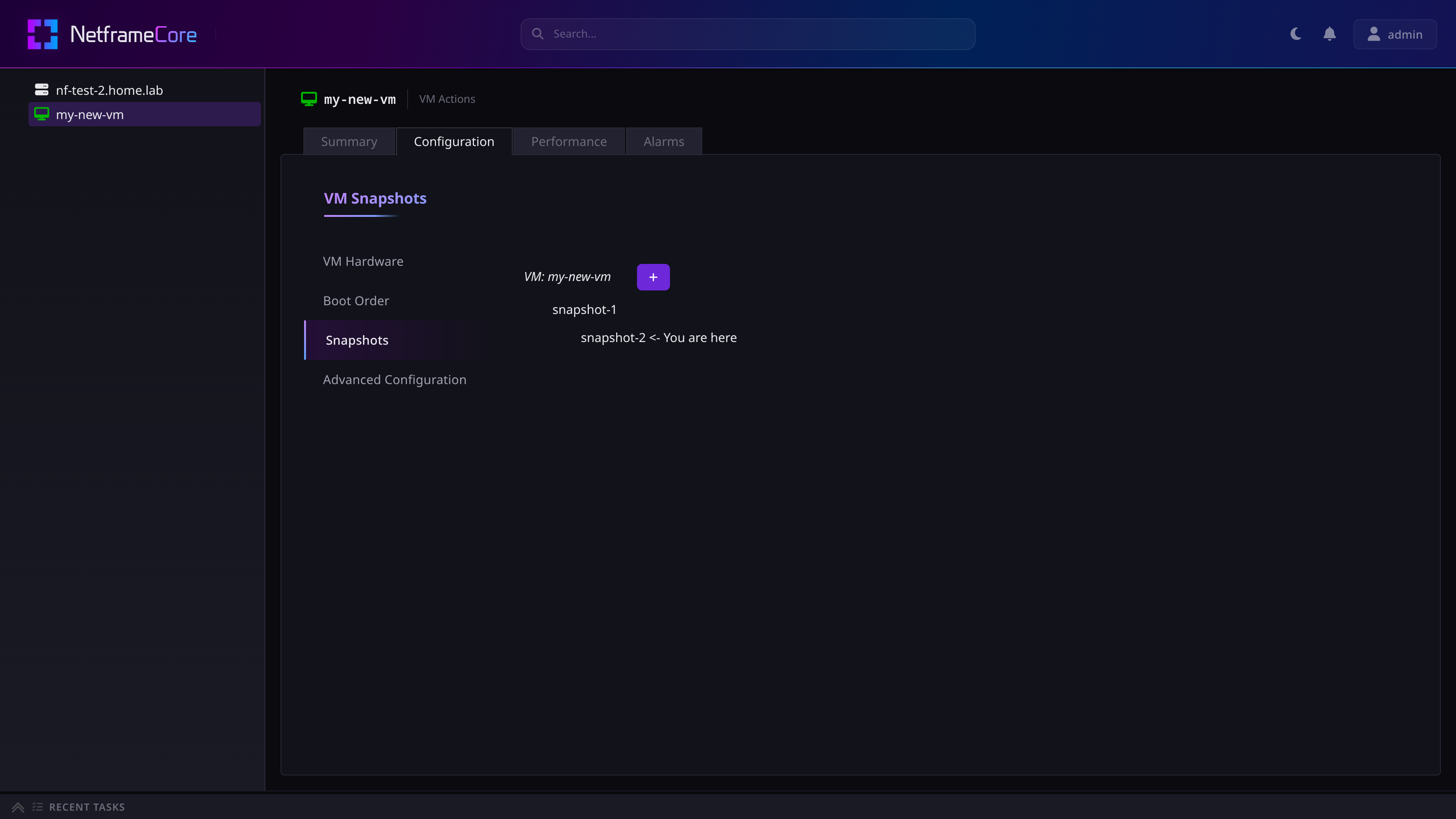
Here, you can view what snapshots exist on the VM, their tree structure, and which snapshot the host is currently active on.
By clicking a snapshot, you can view its details, and options to Delete or Revert to the snapshot.