As with Netframe Core, it may be beneficial to change your Manager from using DHCP to instead use a static IP address.
¶ Prepare your network settings
In your network's modem/router settings, make sure that the DHCP range does not cover the full subnet, so that there are some addresses available for static assignment.
e.g. if your LAN gateway is 192.168.0.1/24 with subnet mask 255.255.255.0, make sure the DHCP pool isn't 192.168.0.2 – 192.168.0.254. Generally, you want your static IPs to be on the higher end of the address pool, so maybe make the DHCP pool end at 192.168.0.200 (for example)
Once your Netframe Host is connected to the network and assigned an IP by DHCP, you can check that address in your modem/router settings (might be 192.168.0.150 for example)
¶ Set your Netframe Manager to a static IP
Unlike Netframe Core, there is currently no way of setting the manager to a static IP using the GUI. It can however be done using the Manager Console User Interface (MCUI).
The two main ways of accessing the MCUI are:
- Accessing the Manager VM's console via Netframe Core (assuming your manager is installed as a VM)
- Connecting to the Manager via SSH, then running
sudo /var/netframe/mcui/mcui
Login to the MCUI using your admin account (configured during installation). Then:
- Select option 2 to edit the Manager's network configuration
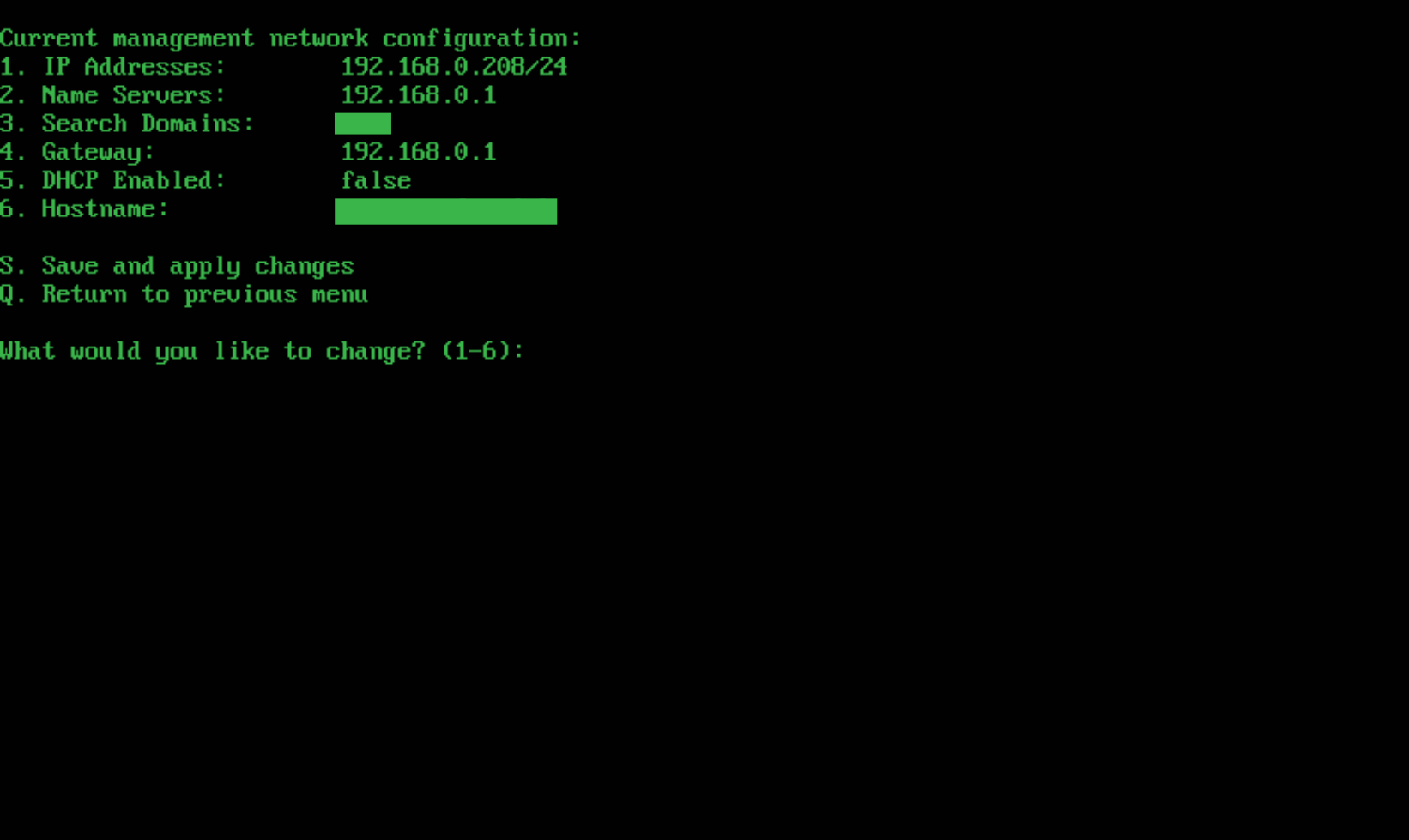
- Select option 5 to disable DHCP
- Select option 1 to enter your desired static IP address
- Important: enter the IP address using CIDR notation, e.g.
192.168.0.208/24
- Important: enter the IP address using CIDR notation, e.g.
- Select option 2 to set the name servers
- You will be prompted to enter two servers, but if you only have one you can press
Enterto leave the second one blank
- You will be prompted to enter two servers, but if you only have one you can press
- Select option 3 to set the search domains
- This is a comma separated list
- Select option 4 to set the gateway IP address
- Select option 6 to set the hostname
Important: Once the settings have been configured, enter S to save them