Considering that Netframe Core will often require the use of IP addresses, it may be a good idea for you to change your Host from using DHCP to using a static IP address.
¶ Prepare your network settings
In your network's modem/router settings, make sure that the DHCP range does not cover the full subnet, so that there are some addresses available for static assignment.
e.g. if your LAN gateway is 192.168.0.1/24 with subnet mask 255.255.255.0, make sure the DHCP pool isn't 192.168.0.2 – 192.168.0.254. Generally, you want your static IPs to be on the higher end of the address pool, so maybe make the DHCP pool end at 192.168.0.200 (for example)
Once your Netframe Host is connected to the network and assigned an IP by DHCP, you can check that address in your modem/router settings (might be 192.168.0.150 for example)
¶ Set your Netframe Host to a static IP
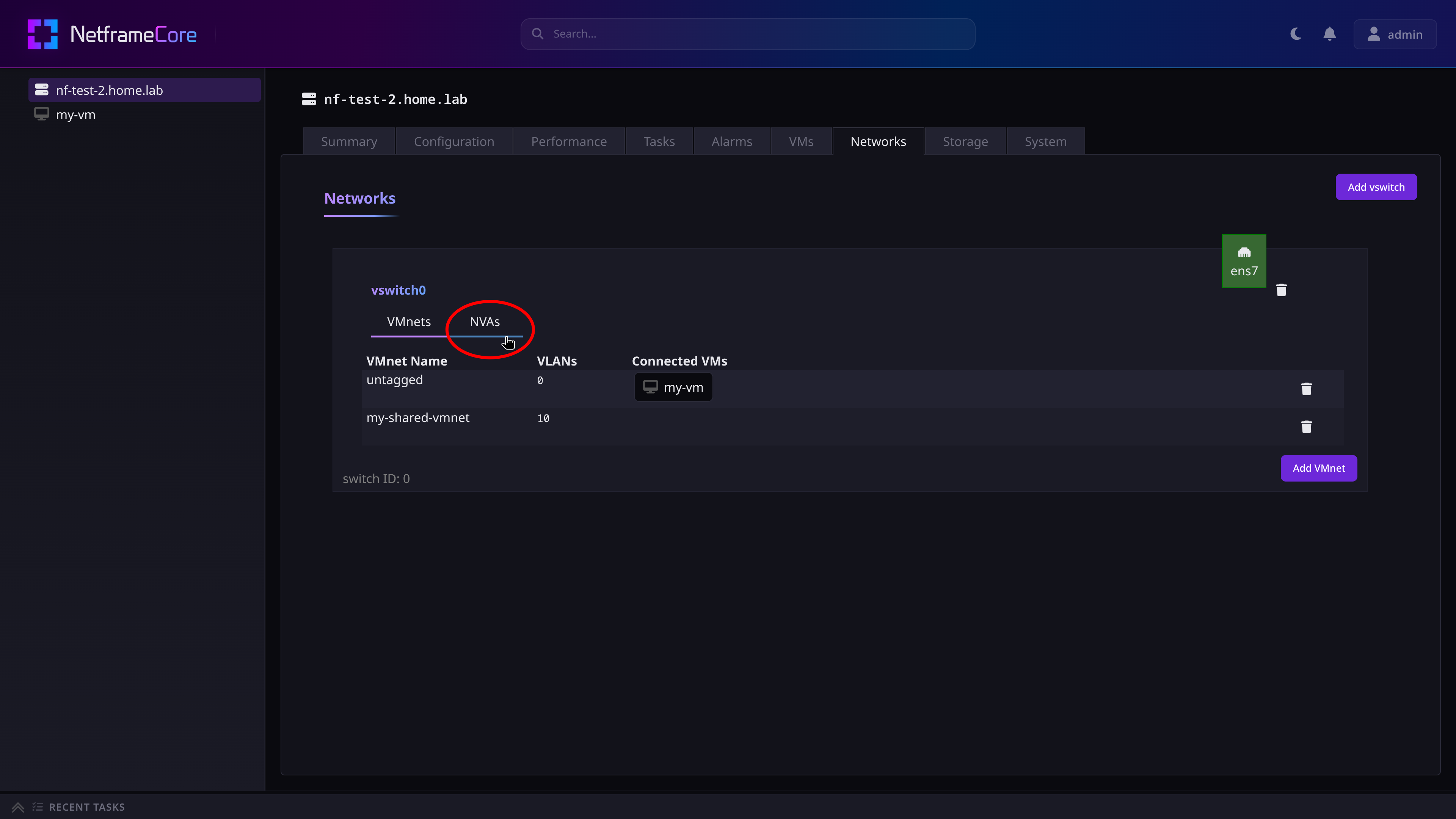
Open a web browser and go to your Netframe Host's address, and sign in to Netframe. Then, navigate to the Host's Networks tab.
Then under vswitch0, switch to the NVA tab and edit S0_untagged:
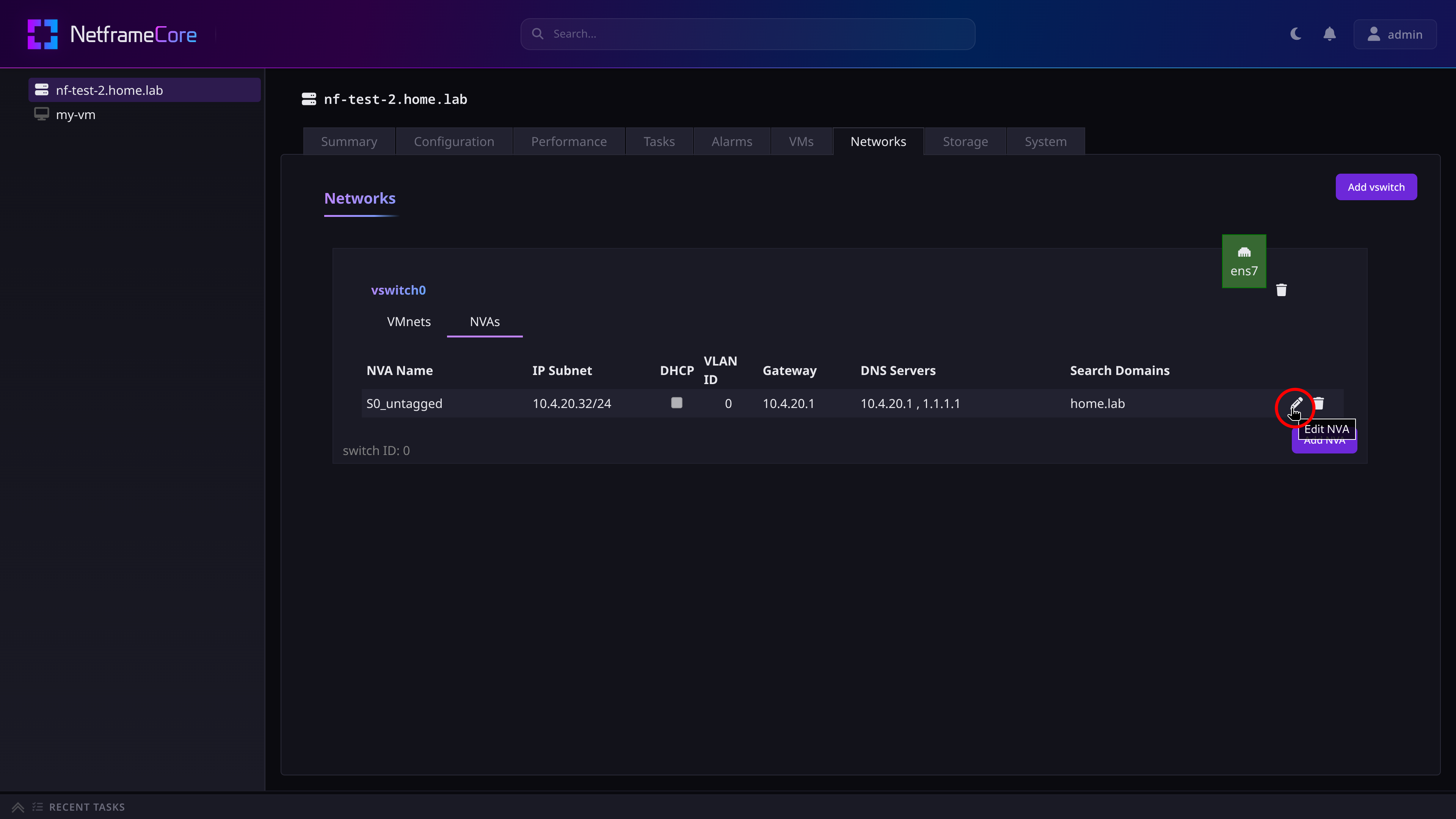
Then:
- Set
IP Subnetto the static IP you would like the Host to have on your network in CIDR notation, e.g.192.168.0.207/24 - Uncheck
DHCP - Set
VLAN IDto0 - Set your
Gateway,DNS Servers, andSearch Domains - Optionally change the NVA name
- Press the save button
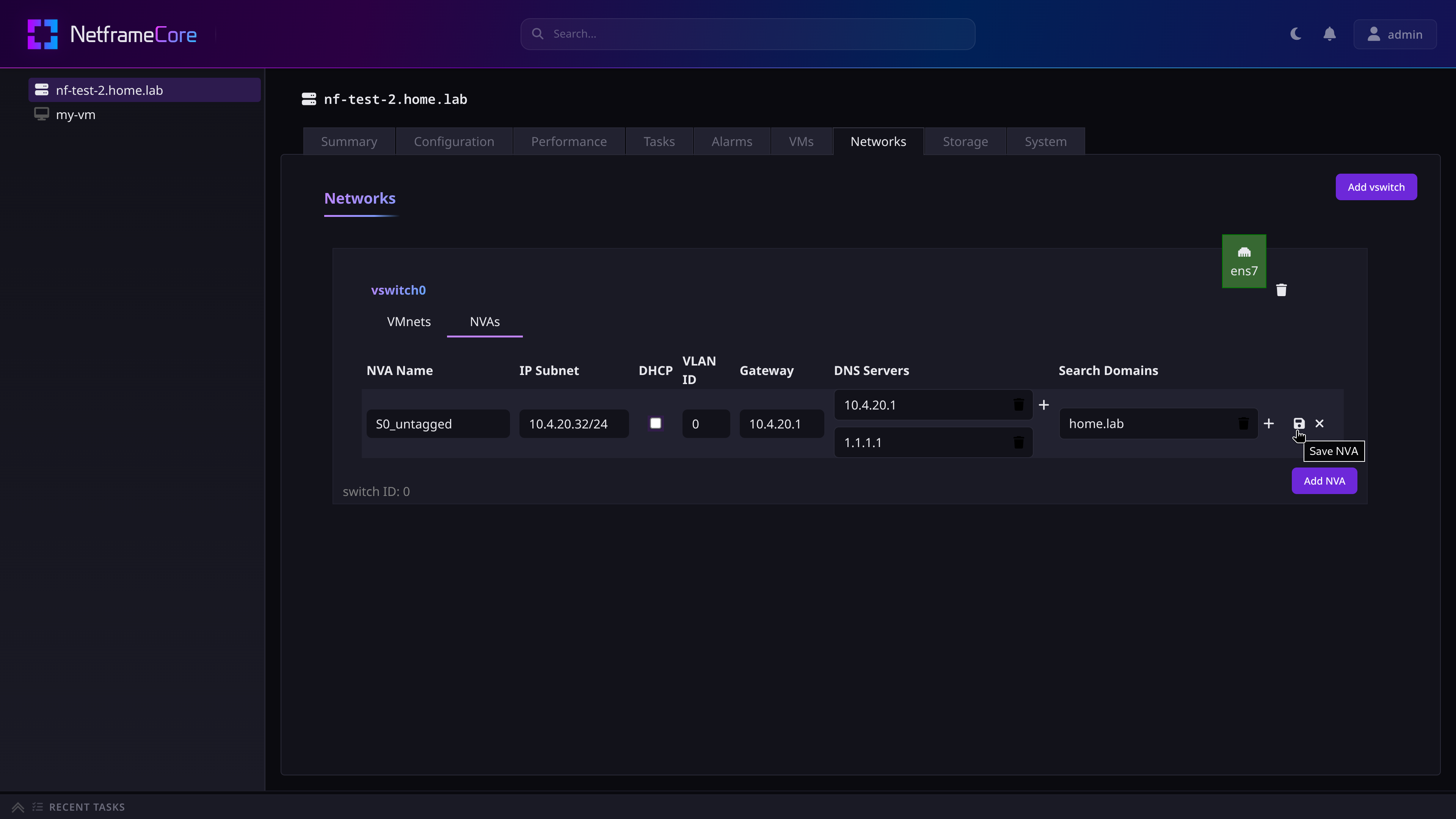
This will set your Netframe Host to the static IP you chose. It may take some time before the change is reflected however.